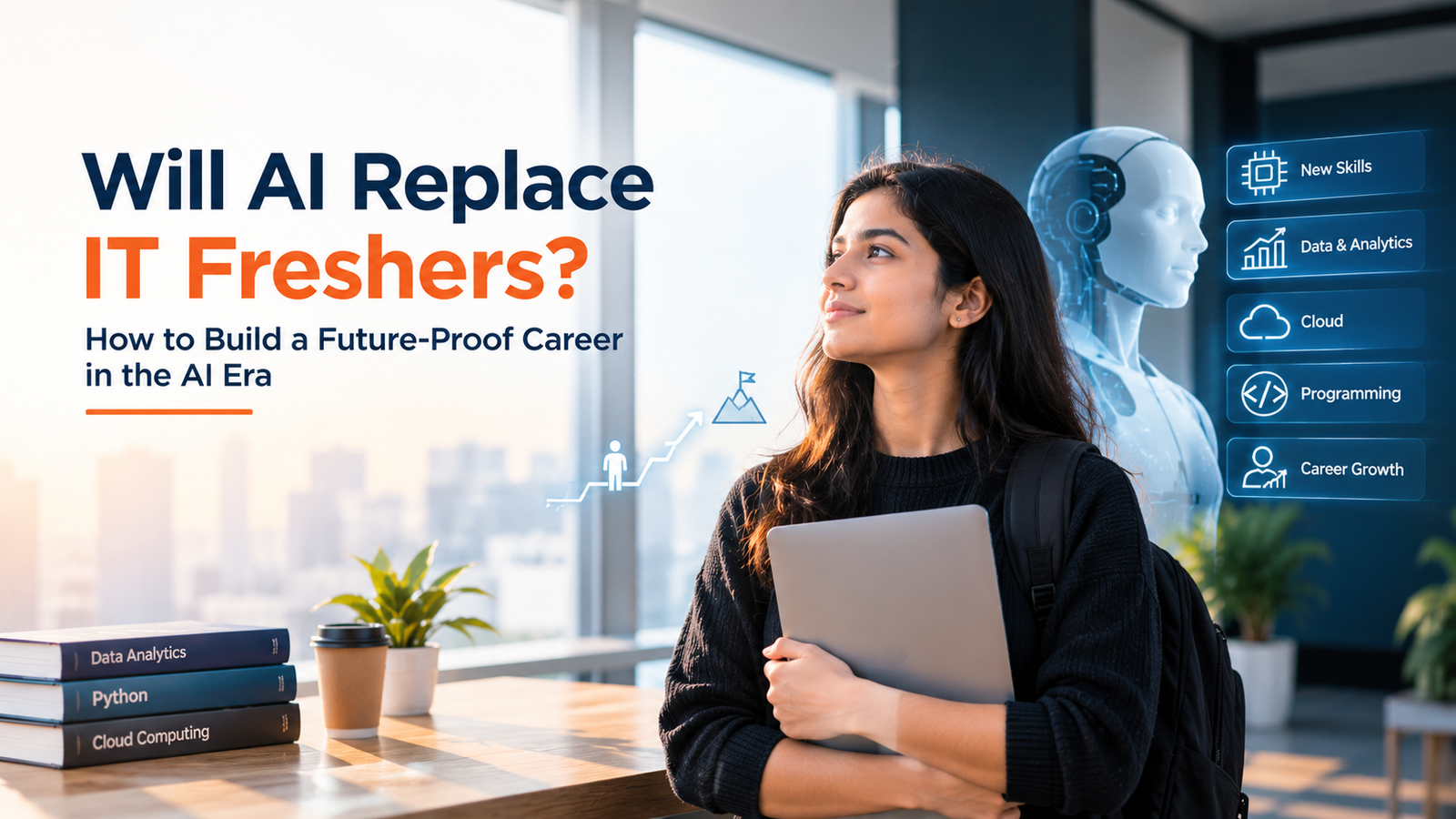
Every fresher has seen the headlines and the reels: "AI will replace programmers." If you are about to start your IT career, it is natural to ask, will AI replace IT freshers? The honest answer is more useful than either panic or false comfort. Nobody can predict the exact future, but we can see clearly how AI tools are already changing the work, which skills are becoming more valuable, and what a fresher can do this month to stay relevant.
This guide explains what AI tools do well and badly, how different IT roles are changing, the skills that matter most, how to use AI to learn faster without becoming dependent, how to use it safely, and how to talk about it on your resume and in interviews. You will find prompts you can copy, a code example of reviewing AI-written code, a 30-day plan and the myths to ignore. Nothing here is a prediction or a guarantee, because the technology and the job market keep changing.
|
Explore VibrantMinds VibrantMinds Technologies is a Pune-based IT training and recruitment company. Learn more about its courses and placement process, or visit the candidate portal. |
Will AI Replace Software Engineers and IT Freshers? An Honest Answer
Here is what we can say with reasonable confidence, and what we cannot. We cannot say exactly how many jobs will change or when, and anyone who gives you a confident number or date is guessing. What we can see is a pattern that has repeated through the history of technology: new tools take over certain tasks, the nature of the work shifts, and people who learn to work with the tools tend to be in demand.
AI coding assistants can already write simple code, explain errors, draft test cases and summarise documents. That changes what a good fresher looks like. A fresher who only knows how to copy syntax is easier to replace with a tool. A fresher who understands the problem, can read and check generated code, finds the real cause of a bug, tests carefully and explains decisions clearly is hard to replace, because that is the part tools cannot be accountable for.
So the useful question is not "will AI replace me?" but "which parts of my work can a tool do, and what can I do that makes me valuable on top of it?" The rest of this guide answers that.
What AI Tools Do Well and Where They Struggle
Understanding the strengths and limits of AI tools helps you use them well. In general, they are fast at pattern-based tasks and weaker at judgement, context and accuracy under unclear conditions.

Where AI Tools Often Help
• Producing boilerplate code and repetitive structures.
• Explaining error messages and unfamiliar code in plain language.
• Suggesting syntax, library usage and examples.
• Summarising long documentation or drafting first versions of tests and comments.
Where AI Tools Often Struggle
• Accuracy: they can produce confident answers that are wrong, outdated or invented.
• Context: they do not know your company's rules, your data or the unstated needs of your users.
• Trade-offs: deciding what to build, what to skip and why involves business and people, not just code.
• Accountability: when a system fails, a human must understand and fix it.
This is why the ability to check, test and understand output is becoming a core skill, not a bonus.
How AI Is Changing Different IT Roles
The changes differ by role. These are general observations, not predictions, and every company adopts tools at its own pace.
Software Developers
Assistants speed up routine coding, so developers spend relatively more time on design, reviewing code, debugging and making sure the software solves the right problem. Strong fundamentals matter more, because you must judge whether suggested code is correct, secure and maintainable.
Software Testers
Tools can help draft test scenarios, generate test data and support automation scripts. Testers who understand risk, product behaviour and test design can use these drafts as a starting point, then improve them. Exploratory thinking, domain knowledge and clear bug reporting remain human strengths.
Data Analysts
Assistants can help write queries and chart code. Analysts still need to understand the business question, check data quality, choose the right method and explain results honestly. The ability to catch a wrong answer becomes more important when answers arrive quickly.
Support and Operations Roles
Automation handles many repetitive requests, so humans focus on complex problems, communication and judgement. Troubleshooting skills and clear, calm communication remain valuable.
Skills That Matter More in the AI Era
If you build skills from the bottom of this stack upwards, each layer makes the next more powerful. AI tools sit at the top, working best on strong foundations.

1. Strong fundamentals: programming, data structures, SQL and testing basics let you judge any generated answer. Without them, you cannot tell good output from bad.
2. Problem solving and debugging: breaking a problem down and finding root causes is hard to automate and useful everywhere.
3. Projects you can explain: two or three real projects, with your decisions and mistakes, prove you can build, not just prompt.
4. Domain knowledge: understanding a field such as banking, retail or healthcare helps you build the right thing.
5. Communication: explaining, writing clearly and working in teams become even more valuable when routine tasks are automated.
6. Learning agility: tools change quickly, so the ability to learn new ones calmly matters more than any single tool.
7. Responsible AI use: knowing when to use a tool, how to verify its output and what never to share.
How to Use AI Tools to Learn Faster Without Becoming Dependent
Used well, AI tools act like a patient tutor available at any hour. Used badly, they become a crutch that stops you from learning. Follow this simple rule: attempt first, then ask. Spend real time trying a problem before you ask for help, so your brain does the learning.
USEFUL PROMPTS FOR LEARNING
1. Explain an error:
"I got this error in Java: [paste error]. Explain what it means and
why it happened, without giving the full solution yet."
2. Learn a concept:
"Explain HashMap to a beginner with a simple example, then ask me
three questions to check my understanding."
3. Practise:
"Give me five easy SQL questions on joins. Do not show answers until
I send mine."
4. Review your work:
"Review this code for readability and bugs, and explain each
suggestion: [paste your own code]."
Notice that each prompt asks the tool to teach, quiz or review, not to do your work. That keeps you in control and learning.
Always Review AI-Written Code: A Small Example
Here is a fictional example of why checking matters. Suppose an assistant suggests a function to calculate an average:
PYTHON
def average(numbers):
return sum(numbers) / len(numbers) # suggested version
print(average([10, 20, 30])) # 20.0 (looks fine)
print(average([])) # ZeroDivisionError!
# After human review: handle the empty list
def average(numbers):
if not numbers:
return 0
return sum(numbers) / len(numbers)
The first version works for the obvious case and fails on an edge case. A fresher who understands the code and tests it catches the problem. One who pastes and moves on ships a bug. That difference is exactly what employers want to see.
Using AI Tools Safely and Responsibly

• Protect private data. Never paste passwords, personal details, client information or confidential company code into public AI tools. Follow your company's policy once you join.
• Respect rules. If an exam, assignment, coding test or interview does not allow AI help, do not use it. Getting caught can end your chances, and the learning is lost anyway.
• Verify facts and versions. Check important claims against official documentation.
• Own what you submit. If you cannot explain it line by line, do not put it in your project or resume.
How to Show AI Skills on Your Resume and in Interviews
Do not write "expert in AI" unless you can back it up. Instead, describe specific, honest uses and the results.
RESUME BULLETS (EXAMPLES)
- Used an AI assistant to explain errors and review code while building a
student result system in Java and MySQL; verified all output with tests.
- Wrote and ran 40 test cases for a demo web app, using AI suggestions as a
starting point and refining them manually.
Interviewers increasingly ask how candidates use AI tools. A good answer shows judgement:
SAMPLE ANSWER (FICTIONAL)
"I use an AI assistant to explain errors and to review my code, but I try
to solve the problem myself first. I always test anything it suggests, and
I never paste private data into it. For example, it once suggested code
that failed on an empty list, and my tests caught it."
Project Ideas That Show You Can Build With AI, Not Just Prompt It
• A project built end to end, with notes: build a small application, record which parts you wrote, which you reviewed and what you fixed.
• A test suite for AI-written code: ask a tool for a function, then write thorough tests and document the bugs you found.
• A data analysis with your own conclusions: use a public dataset, use tools to speed up charts, then write findings and limits in your own words.
For each project, publish the code with a clear README and be ready to explain every decision.
A 30-Day Plan to Become AI-Ready as a Fresher
1. Week 1: strengthen one fundamental area (for example Core Java and SQL, or Python basics) with daily hands-on practice, trying problems yourself first.
2. Week 2: start using an AI assistant as a tutor: explanations, quizzes and code reviews. Keep a notes file of what you learn.
3. Week 3: build a small project. Write the plan yourself, use tools for help, and test everything.
4. Week 4: write the README, polish the resume bullets and practise explaining the project and your use of AI aloud.
AI and IT Careers: Myths vs Facts
• Myth: coding is pointless now. Fact: you need fundamentals to judge, fix and extend what tools produce.
• Myth: only AI experts will get jobs. Fact: most roles need solid skills in a domain, with sensible tool use on top.
• Myth: AI can do my project for me, so I can skip learning. Fact: interviewers ask you to explain it, and shallow understanding shows quickly.
• Myth: avoiding AI keeps me safe. Fact: ignoring useful tools can slow you down. Learn them, with care.
• Myth: everyone will lose their job. Fact: nobody knows the exact outcome. Building adaptable skills is the sensible response.
Mistakes Freshers Make in the AI Era
1. Copying generated code without reading it.
2. Skipping the fundamentals because a tool can fill the gaps.
3. Sharing confidential or personal data with public tools.
4. Using AI where it is not allowed, such as tests or assignments.
5. Listing AI buzzwords on a resume with no project to back them.
6. Panicking and stopping learning instead of adapting.
About VibrantMinds Technologies
VibrantMinds Technologies Pvt. Ltd. is a Pune-based IT training and recruitment company. It operates as a talent ecosystem that connects candidates, colleges and companies, with 1900+ partner colleges and 600+ hiring companies in its network.
Visit vibrantminds.in to learn about the company, or open the candidate portal at candidates.vibrantminds.in.
These are the VibrantMinds courses:
|
Course |
Duration |
Key topics |
|
Full Stack Java Development |
4–6 months |
Core Java, OOP, SQL and JDBC, web fundamentals, backend frameworks, front-end basics, projects |
|
Software Testing (Manual + Automation) |
2–5 months |
Testing fundamentals, test cases, bug reporting, SDLC and STLC, automation basics, interview preparation |
|
Core Java |
1–2 months |
Syntax, OOP, strings, collections, exception handling, practice programs |
|
Python & Data Science |
2–4 months |
Python basics, data handling, analysis libraries, visualisation, introduction to machine learning |
How VibrantMinds Helps You Build a Future-Proof IT Career
The strongest response to AI is a strong foundation, and that is what structured training is for. Core Java (1–2 months) and Full Stack Java Development (4–6 months) build programming, SQL and project skills. Software Testing (2–5 months) builds test design and bug reporting. Python & Data Science (2–4 months) covers Python basics, data handling, analysis libraries, visualisation and an introduction to machine learning. Ask the team which projects and practice sessions are part of the current batch, and how they approach new tools in training.
The VibrantMinds 6-step placement pipeline then connects your preparation to real openings:
8. Requirement Mapping: understanding what hiring companies need, so your skills match real requirements.
9. Candidate Sourcing: identifying candidates who fit those openings.
10. Screening & Assessment: checking skills and readiness, so gaps surface before a real interview.
11. Drive Coordination: organising recruitment drives with hiring companies.
12. Interview Support: preparing candidates for interview rounds.
13. Onboarding Follow-up: staying in touch after selection to support the joining process.
|
VibrantMinds tip Not sure which skills to build first? Talk to the team, and ask which projects, assessments and interview practice come with the batch you are considering. |
Real Outcomes: What Past Students Say
Feedback shared by past students mentions placements with companies such as Aress Software and Education Technologies, Saama Technologies and Three M Software. To be clear and fair: outcomes vary from person to person, depending on skills, effort, attendance, interview performance and company requirements. Nothing here is a guarantee of a job, so please confirm details directly with the VibrantMinds team before you decide.
Connect With VibrantMinds Technologies
Address: Viva Academy Building, Warje, Pune, Maharashtra 411052
Phone: +91 95035 79517
Email: support@vibrantmindstech.com
Website: https://vibrantminds.in/
Candidate portal: https://candidates.vibrantminds.in/
Join the Job-Update WhatsApp Groups
Group 1: https://chat.whatsapp.com/CUCS1derlmTFee2c9dyUHd
Group 2: https://chat.whatsapp.com/FvMf1fGYQYnHppQ8AwFX40
Group 3: https://chat.whatsapp.com/I7RNnGMkb2L8S8HibdyWpQ
|
Caution: never pay anyone to apply for a job or to get shortlisted. If someone asks for money in exchange for a job opportunity, stop and verify directly with the company or the VibrantMinds team. |
Frequently Asked Questions About AI and IT Jobs for Freshers
Is it still worth learning to code because of AI?
Yes. AI tools generate code, but you need to read, test, fix and extend it, and you need to understand problems well enough to describe them. Fundamentals are what let you use these tools well.
Which IT jobs are safest from AI?
Nobody can promise safety for any job. Roles that combine technical skill with judgement, domain knowledge and communication, such as testing, data analysis, development and support, tend to adapt better. Keep learning whichever path you choose.
Should freshers learn AI and machine learning?
It depends on your goals. Everyone benefits from learning to use AI tools responsibly. Deeper machine learning needs stronger Python, statistics and maths, and suits people aiming at data science roles.
Can I use AI tools in interviews or online tests?
Only if the company explicitly allows it. Using AI where it is prohibited can disqualify you. When in doubt, ask the recruiter before the test.
Will companies hire fewer freshers because of AI?
Hiring depends on many things, including the economy and company strategy, and nobody can predict it exactly. Freshers with solid skills, projects and communication improve their chances in any market.
What AI tools should a fresher learn?
Learn the principles first: clear prompting, verifying output and protecting data. Then try a coding assistant or chatbot approved by your college or company. Tools change quickly, so skills matter more than a specific name.
How do I explain my use of AI in a project?
Be honest and specific: say which parts you wrote, where tools helped and how you verified the results. Interviewers respect clear ownership and sensible tool use.
Is prompt engineering a good career for freshers?
Writing good prompts is a useful skill, but it works best alongside a core skill such as development, testing or data analysis. Treat it as an addition, not a replacement for fundamentals.
Final Thoughts: Be the Fresher Who Knows How to Think
AI will keep changing what IT work looks like, and that is a reason to learn well, not to stop. Build your fundamentals, make projects you can explain, learn to test and debug, practise clear communication and use AI tools as a tutor and assistant, not a replacement for your own thinking. Freshers who can do that are not competing with the tools. They are using them.
If you would like structured training and placement support to build a strong foundation, the VibrantMinds team is happy to talk it through.